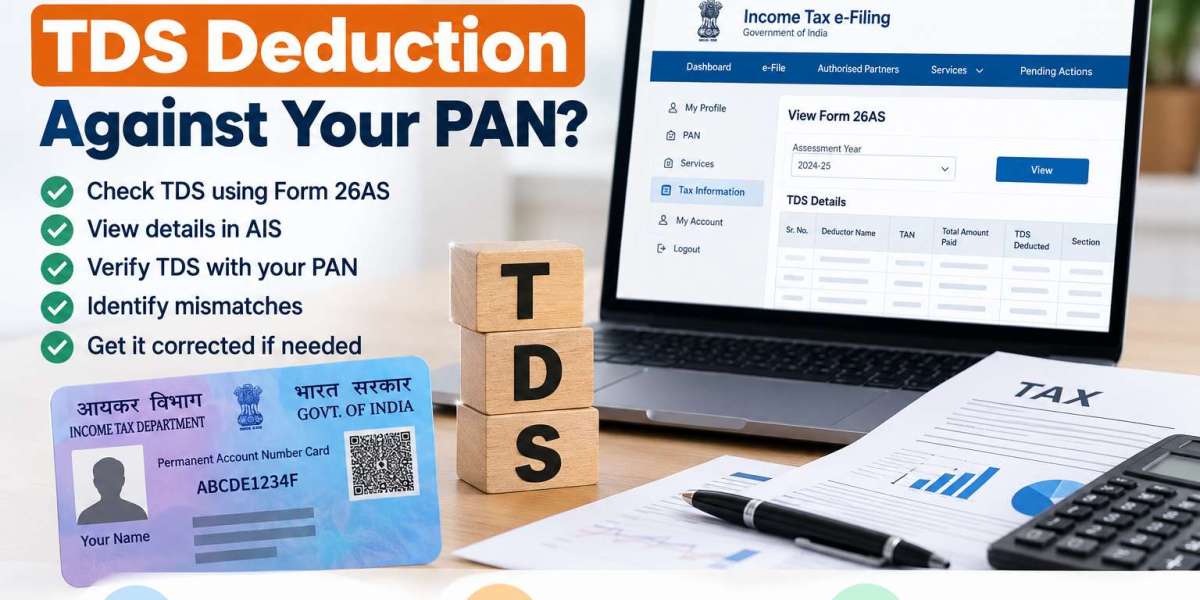

TDS (Tax Deducted at Source) is a common part of the Indian Income Tax system. Generally, the TDS deducted by the payer on certain payments like salary, interest, professional fees, rent or other applicable payments is deposited with the government against the PAN of the recipient.
Taxpayers should check regularly that their TDS has been correctly reported. This can help in spotting the mismatch before filing Income Tax Return (ITR) and taking care of eligible TDS credit properly.
If you need professional help, you can hire a Tax Consultant in Ghaziabad who will help you in checking your tax records, TDS information, and ITR related documents.
What Is TDS Against PAN?
TDS is tax deducted by the payer on certain specified payments and paid to the government on behalf of the recipient;
The TDS is linked to the taxpayer's PAN and as per reporting and processing, may be reflected in tax records like Form 26AS and Annual Information Statement (AIS).
For instance, if your employer deducts TDS from your salary, the deduction would normally reflect in your tax records once it is reported and processed.
Why Should You Check Your TDS?
Checking your TDS information before filing your return is important because discrepancies can affect your final tax calculation.
You should verify:
- TDS deducted by your employer
- TDS deducted by banks
- TDS reported by clients or customers
- TDS on other applicable payments
- PAN details reported by the deductor
- Amount of TDS appearing in your tax records
- TDS credit available for your tax return
If the TDS shown in your records differs from your documents, it is advisable to investigate the difference before completing your return.
How to Check TDS Using Form 26AS
Form 26AS provides taxpayers with information relating to tax deducted, tax collected, and other relevant tax-related information available against their PAN.
A general process is:
Step 1: Visit the Income Tax e-Filing Portal
Access the official Income Tax e-Filing portal and log in using your applicable credentials.
Step 2: Access Form 26AS
After logging in, navigate to the relevant tax information section and access Form 26AS through the available options.
The portal may redirect you to the relevant tax information service for viewing Form 26AS.
Step 3: Select the Appropriate Assessment Year
Choose the assessment year for which you want to review your tax information.
Step 4: Review TDS Entries
Check the deductor's details, transaction information, amount deducted, and other available information.
Compare the information with your salary slips, Form 16, bank statements, invoices, or other relevant documents.
How to Check TDS Through AIS
The Annual Information Statement, commonly known as AIS, provides taxpayers with broader information relating to financial and tax-related transactions reported against their PAN.
To review AIS, taxpayers generally need to:
- Log in to the Income Tax e-Filing portal.
- Navigate to the AIS section.
- Select the relevant financial year.
- Review the reported information.
- Compare the TDS information with your own records.
AIS can provide useful information for reviewing tax-related data before filing an ITR.
What If TDS Is Not Showing?
Sometimes TDS may not immediately appear in your tax records. This does not necessarily mean that the deduction was not made.
Possible reasons include:
- The deductor has not filed the relevant TDS statement.
- The TDS statement is still being processed.
- PAN details were reported incorrectly.
- There is a mismatch in the deductor's records.
- The transaction was reported incorrectly.
- The information has not yet been updated in the taxpayer's records.
If your employer, bank, client, or another deductor has deducted TDS but it is not reflected, contact the deductor and ask them to verify their TDS reporting.
What to Do If There Is a TDS Mismatch?
Suppose your Form 16 shows ₹25,000 of TDS but the available tax records show only ₹20,000. You should investigate the difference rather than automatically claiming the higher amount.
First, compare:
- Form 16
- Salary slips
- Form 26AS
- AIS
- Bank statements
- TDS certificates
- Other supporting documents
If the deductor has made an incorrect filing, they may need to correct their TDS statement.
Professional assistance can be useful when the discrepancy is complex or involves multiple deductors.
TDS and Income Tax Return Filing
TDS information is especially relevant while filing an income tax return. After applying the applicable tax credits including the eligible TDS credit, the total tax liability of the taxpayer is calculated.
Taxpayers should verify their Form 26AS and AIS and cross-check the data with their financial documents before Income Tax Return Filing in Ghaziabad.
Proper reconciliation may help in reducing the chances of errors in the ITR.
When Should You Consult a Tax Professional?
You may consider consulting a professional when:
- TDS is missing from Form 26AS
- TDS information differs from Form 16
- Multiple deductors have reported TDS
- PAN details are incorrect
- You receive a tax-related notice
- You have income from multiple sources
- You are unsure about claiming TDS credit
A Tax Consultant in Ghaziabad can help review tax records and identify potential discrepancies before filing the return.
Similarly, a tax filling consultant in Ghaziabad can assist with reviewing tax information and preparing the applicable income tax return.
TaxCaller for TDS and ITR Assistance
TaxCaller offers tax and compliance services for individuals, professionals, startups and businesses. It provides services such as TDS help, filing of Income Tax Return, GST compliance, accounting, book-keeping and tax consultancy.
If you are a taxpayer in Ghaziabad and need to file your Income Tax Return, TaxCaller can help you organize your tax information and prepare the appropriate return, based on the documents and information you provide us.
Conclusion
Before filing your income tax return, it is necessary to verify TDS against your PAN. Taxpayers can check the tax details reported against their PAN through Form 26AS and AIS and cross-check it with Form 16, salary slips, bank statements and others.
In case of any mismatch, please contact the concerned deductor and correct the mismatch wherever needed. In case of complexities, a professional help from a Tax Consultant in Ghaziabad or a tax filling consultant in Ghaziabad can help you in reconciliation and filing.
Review of your TDS details before Income Tax Return Filing in Ghaziabad can help you file your return with more accurate & complete tax records.