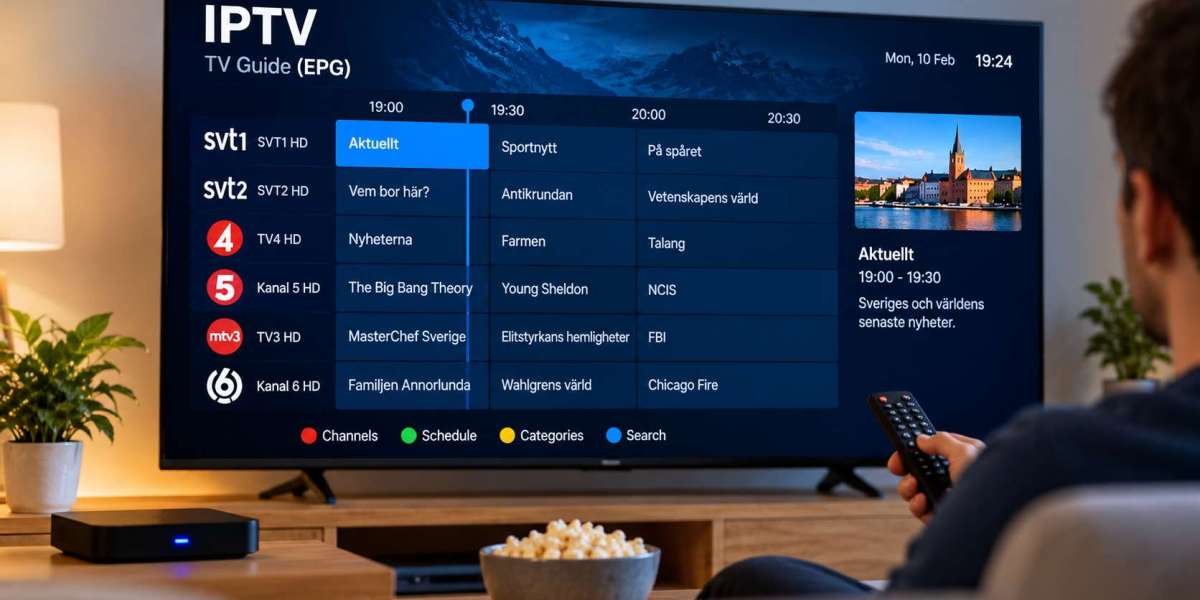

Finding something to watch should be simple. For IPTV users, one of the most useful features for organizing live television is the Electronic Program Guide, commonly known as an EPG.
An EPG works like a digital television schedule. Instead of opening channels one by one to see what is currently playing, viewers can check program names, start times, upcoming shows, and other available information from one screen.
For IPTV users in Sweden, understanding how EPG data works can make live television easier to navigate and help create a more familiar viewing experience.
What Is an IPTV EPG?
EPG stands for Electronic Program Guide.
It is a digital schedule that displays information about television programming. Depending on the IPTV player and data source, an EPG may show:
Current programs
Upcoming programs
Start and end times
Program descriptions
Channel names
Categories
Program images
Episode information
The exact amount of information depends on the guide data available for each channel.
An EPG does not usually provide the television stream itself. Instead, it organizes information related to the channels already available through the user's IPTV setup.
Why an EPG Is Useful
Without a program guide, viewers may need to open individual channels to discover what is currently playing.
This can become inconvenient when a playlist contains many live channels.
An EPG allows users to see several channels and their schedules at the same time. It can make browsing feel closer to using a traditional television service.
Faster Channel Selection
A program guide lets viewers identify what is currently being shown before changing channels.
For example, someone looking for a football match, news program, film, or children's show can check the schedule rather than browsing through channels individually.
Better Planning
An EPG can also show upcoming programs.
This helps viewers know when a particular broadcast is scheduled and makes it easier to plan viewing around sports, news, entertainment, or other live programming.
How EPG Data Reaches an IPTV Player
IPTV players generally receive program guide information from an EPG data source.
The guide information is then matched with the channel list inside the application.
When everything is configured correctly, the player displays the relevant schedule next to each channel.
Different IPTV setups may handle this process differently. Some services configure guide information automatically, while others may require users to enter or select an EPG source.
Why Some Channels May Have No Guide Information
It is normal for an IPTV playlist to occasionally contain channels without complete EPG information.
Several factors can cause this.
Missing EPG Data
The guide provider may not have schedule information for a particular channel.
Channel Name Mismatch
An IPTV player needs to match the channel with the correct EPG entry.
If the channel name or identifier does not match the available guide data, the schedule may not appear even when information exists.
Temporary Data Problems
Guide information can occasionally fail to refresh correctly.
Updating the EPG or restarting the IPTV application may solve temporary problems.
Regional Differences
Some channels have different schedules in different countries or regions.
Users should make sure that the EPG information corresponds to the version of the channel they are actually watching.
EPG and Swedish Television Viewing
For viewers using IPTV in Sweden, an organized program guide can be especially helpful when a playlist contains a mixture of Swedish, Nordic, and international channels.
Instead of searching through a long channel list, viewers can use schedule information to identify the programming they want more quickly.
People comparing IPTV services, device compatibility, available channels, and setup information can also review Rapid IPTV Sweden when researching options intended for the Swedish market.
The quality of the viewing experience still depends on the individual IPTV player, device, internet connection, and available guide data.
What Makes a Good IPTV Program Guide?
A useful EPG should be easy to read and navigate.
Several features can improve the experience.
Clear Time Information
Program start and end times should be displayed clearly.
Incorrect timezone settings can cause guide schedules to appear too early or too late, so users should make sure their device is configured for the correct local time.
Easy Channel Navigation
The guide should make it possible to move between channels without excessive scrolling or complicated menus.
A well-designed television interface is especially helpful when using a remote control.
Program Descriptions
Additional information about films, series, sports, and other programs can help viewers decide whether they want to watch.
Not every EPG source provides detailed descriptions, so availability varies.
Current Program Indicator
Many IPTV players highlight the program currently being broadcast.
This makes it easier to understand where each channel is within its daily schedule.
EPG Problems and How to Troubleshoot Them
When guide information does not appear correctly, users can perform several simple checks.
Refresh the EPG
Most IPTV players include an option to update or refresh guide information.
This should usually be the first step.
Restart the Application
Closing and reopening the IPTV player may clear temporary loading problems.
On some televisions or streaming devices, a full restart can also help.
Check the Internet Connection
The EPG may need internet access to download updated schedule information.
If the device is offline or the connection is unstable, guide data may not update properly.
Check Date and Time Settings
Incorrect device time can cause the entire television schedule to appear at the wrong hour.
For viewers in Sweden, the device should normally use the correct Swedish local time and automatically handle seasonal clock changes when supported.
Does Every IPTV Player Support EPG?
Many IPTV players support electronic program guides, but implementation varies.
Some applications provide a traditional grid similar to cable television, while others display current and next program information directly in the channel list.
Advanced players may include additional features such as:
Search by program
Program reminders
Catch-up indicators
Favorites
Category filters
Timeline navigation
Users should check the features available in their chosen IPTV player before deciding whether it meets their needs.
EPG on Smart TVs
Smart TV IPTV applications can provide a convenient guide because viewers can browse programming using the television remote.
However, performance depends partly on the television hardware.
Large channel lists and detailed guide databases can require additional memory and processing power. Older televisions may load large EPG files more slowly than newer devices.
Keeping the application updated can help maintain compatibility.
EPG on Android TV and Streaming Boxes
Android TV devices and compatible streaming boxes often provide a wider selection of IPTV players.
This gives users more flexibility when choosing the style of program guide they prefer.
Some applications focus heavily on live television navigation and present a grid that resembles a traditional set-top box interface.
The best choice depends on the user's preferred layout and device performance.
EPG on Smartphones and Tablets
Program guides are also useful on mobile devices.
Touchscreen navigation can make it easy to scroll through channels and upcoming programs.
Smaller screens, however, may display less information at one time compared with a television.
For this reason, mobile IPTV applications often simplify the EPG interface to keep navigation comfortable.
Keep EPG Data Updated
Television schedules change regularly, so an electronic guide needs fresh information.
Many IPTV players can update their program data automatically.
Users should allow regular EPG refreshes where appropriate and avoid keeping outdated guide information for long periods.
If the application includes a cache setting, clearing old EPG data may occasionally help when the guide becomes inaccurate.
EPG Is Only One Part of a Good IPTV Setup
A program guide improves navigation, but it cannot compensate for other technical problems.
A comfortable IPTV experience also depends on:
Stable internet
A compatible device
A reliable IPTV player
Correct application configuration
Clear channel organization
Updated software
All of these elements work together.
For example, even an excellent EPG will not prevent buffering caused by weak Wi-Fi or an unstable internet connection.
Final Thoughts
An IPTV EPG can make live television easier to browse by organizing channel schedules into a clear digital guide.
Instead of switching randomly between channels, viewers can see what is currently playing, what comes next, and when specific programs are scheduled.
For Swedish IPTV users, checking EPG compatibility can be worthwhile when choosing an application or streaming device. A well-organized program guide, combined with a stable connection and suitable hardware, can make everyday television viewing simpler and more convenient.








