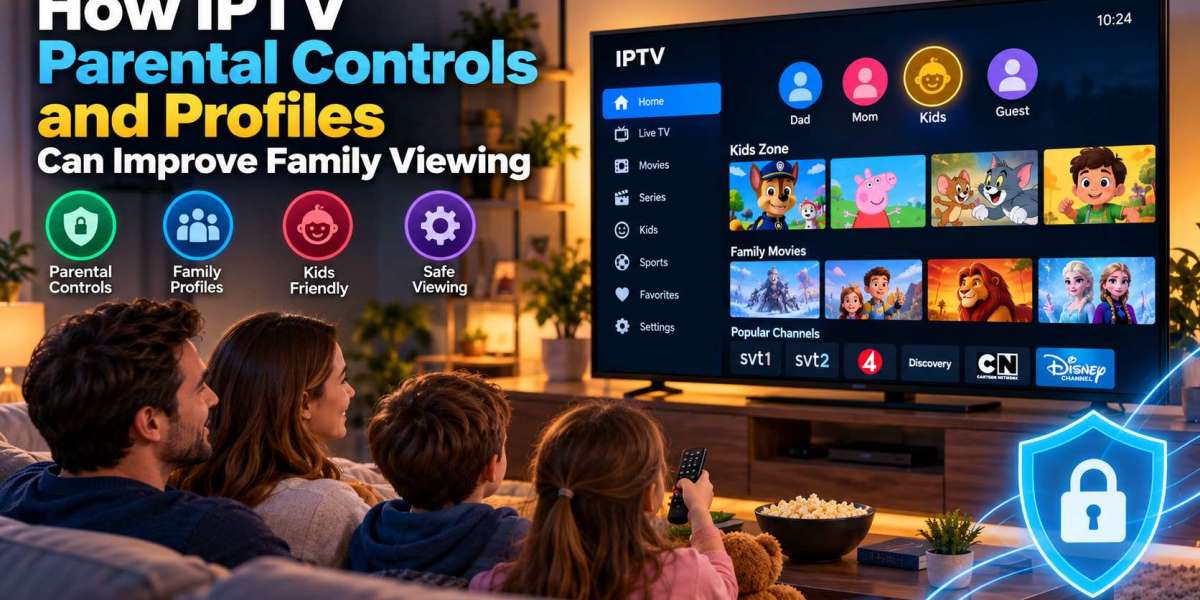

Streaming television is often shared by an entire household. Parents may watch news and movies, children may prefer cartoons, and other family members may follow sports or entertainment channels.
When everyone uses the same IPTV setup, a long channel list can quickly become difficult to manage. Parental controls, favorites, profiles, and content organization can make the experience simpler and more suitable for different members of the household.
This guide explains how families can organize IPTV viewing and use available control features more effectively.
Why Family IPTV Organization Matters
An IPTV subscription may contain a large number of channels and content categories.
Without organization, users may need to scroll through hundreds of entries every time they want to find something.
A well-organized setup can help households:
Find favorite channels faster
Separate children's content
Reduce unnecessary browsing
Protect selected categories
Keep frequently watched content accessible
Make remote-control navigation easier
The available features depend on the IPTV player and device being used.
What Are IPTV Parental Controls?
Parental controls are features designed to restrict access to selected content.
Depending on the IPTV application, parents may be able to protect:
Individual channels
Entire categories
Movies
Video-on-demand sections
Application settings
Restrictions are commonly protected by a PIN.
This means children can continue using the television while certain areas remain inaccessible without the correct code.
Set a Strong Parental Control PIN
If an IPTV player supports PIN protection, avoid choosing an obvious number.
Simple codes such as:
0000
1111
1234
Birth years
It can be easy to guess.
Choose a code that adults in the household can remember but children are unlikely to identify.
Avoid writing the PIN next to the television or remote control.
Organize Children's Channels
A dedicated children's favorites list can make television easier for younger viewers.
Instead of giving them access to the complete playlist, parents can organize suitable channels into one section.
For example, a children's category might contain:
Cartoons
Frequently watched animation channels can be saved together.
Educational Content
Channels focused on learning, nature, science, or children's documentaries can be grouped separately.
Family Entertainment
Age-appropriate movies and entertainment channels can also be added.
The goal is not simply restriction. Good organization can make the interface easier for children to understand.
Use Favorites for Each Family Member
Many IPTV players include a favorites feature.
Families can use this to create a shorter list of frequently watched channels.
One household might organize favorites around:
Children's television
Swedish channels
Football and hockey
Movies
News
Documentaries
Some IPTV applications allow separate profiles or favorite groups, while others provide one shared favorites list.
Even a single favorites section can greatly reduce the amount of scrolling required.
Profiles Can Make Shared Viewing Easier
Profile support is becoming more common in streaming applications.
When available, different household members may be able to maintain separate preferences.
A profile can potentially contain:
Favorite channels
Recently watched content
Watch history
Language preferences
Content recommendations
Parental restrictions
Not every IPTV player offers profiles, so users should check application features before choosing a player.
Choose an IPTV Player With Family-Friendly Navigation
A player that works well for one person may not necessarily work well for a family.
For shared televisions, simplicity is important.
Look for an interface with:
Large menus
Clear categories
Easy favorites access
Simple EPG navigation
Parental controls
Search functionality
Users comparing device compatibility and setup options can also review information from MONSTER IPTV when deciding how their preferred IPTV service will work across the household's televisions and streaming devices.
Keep Adult Content Separate
If a subscription includes categories intended for adults, they should be protected or hidden when children use the same television.
Depending on the application, users may be able to:
Lock categories
Hide categories
Require a PIN
Disable selected sections
The available controls vary significantly between IPTV players.
If family safety is important, check these features before settling on an application.
Use the EPG to Plan Family Viewing
An Electronic Program Guide can also help families organize television time.
Instead of searching randomly through channels, users can check upcoming programs in advance.
Parents may use the guide to find:
Children's programs
Family movies
Sporting events
Educational shows
Weekend entertainment
Planning ahead can make shared viewing more convenient.
Control Access to Settings
Children can sometimes accidentally change important IPTV settings.
A few incorrect selections may affect:
Playlist configuration
EPG settings
Audio language
Subtitle preferences
Channel sorting
Login details
If the IPTV player supports settings protection, enable it.
This can prevent accidental changes while allowing children to continue using basic playback controls.
Create a Simple Home Screen
Too many applications can make a Smart TV or streaming box confusing.
For a family television, consider keeping the home screen simple.
Place frequently used apps in easy-to-reach positions and remove unused applications where possible.
A clean home screen can help children and less technical family members find the IPTV player without navigating complicated menus.
Smart TV or Streaming Box for Families?
Both devices can work well, but each has advantages.
Smart TV
A Smart TV can be easier because everything is controlled through one television remote.
This is useful for households that want a straightforward setup.
Streaming Box
A dedicated streaming device may provide more application choices and customization options.
It can be useful for families that want stronger parental controls or separate user profiles.
The better choice depends on the specific television and application.
Consider Separate Devices for Children
Some households may prefer to keep the main television setup separate from children's viewing.
A tablet, secondary television, or family streaming device can be configured specifically for younger users.
This can make it easier to:
Control available applications
Limit content
Maintain separate favorites
Apply device-level parental controls
Device-level restrictions can complement the controls provided by the IPTV player.
Use Device Parental Controls Too
Do not rely only on the IPTV application.
Modern Smart TVs, Android TV devices, Apple TV systems, tablets, and smartphones may provide their own parental settings.
Device-level controls can sometimes restrict:
App installations
Purchases
Screen time
Mature content
Account changes
Combining device and IPTV player controls can provide a more organized setup.
Manage Multiple TVs Carefully
Families often have IPTV installed on more than one television.
For example:
Living room TV
Bedroom TV
Children's room TV
Tablet
Mobile device
Before using several devices simultaneously, check the IPTV subscription's connection limits.
Some subscriptions allow only a specific number of active streams at the same time.
Understanding this in advance can prevent unexpected playback interruptions.
Teach Children Basic Navigation
A well-designed setup should be simple enough for children to use without constantly changing settings.
Show them how to:
Open the IPTV application.
Access their favorites.
Change channels.
Return to the home screen.
Adjust volume.
Exit the application properly.
Keeping navigation simple reduces the likelihood of accidental configuration changes.
Review Settings Occasionally
Family viewing habits change.
Children grow older, favorite channels change, and new applications may be installed.
Every few months, review:
Favorites
Locked categories
PIN settings
Device permissions
Installed applications
Profiles
Removing unused channels or reorganizing categories can keep the interface manageable.
Keep Applications Updated
IPTV applications and streaming devices should be kept reasonably up to date.
Updates may improve:
Parental controls
App stability
Security
Navigation
Device compatibility
However, it is usually better to perform major updates when there is enough time to test the setup afterward.
Privacy Matters on Shared Devices
Shared televisions can contain account information and viewing history.
Avoid displaying sensitive login information where other users can easily access it.
If the IPTV player stores credentials automatically, protect important settings with a PIN when possible.
Also avoid sharing account credentials unnecessarily.
Final Thoughts
A family IPTV setup should be easy to navigate, organized, and appropriate for everyone who uses it.
Parental controls can help select restrict content, while favorites and profiles can make large channel lists much easier to manage.
Start by choosing an IPTV player with clear navigation, then organize channels according to the household's viewing habits. Protect sensitive categories, secure important settings, and combine IPTV controls with the parental features already available on the Smart TV or streaming device.
With a little organization, IPTV can become much more practical for shared family viewing without making the setup complicated.








