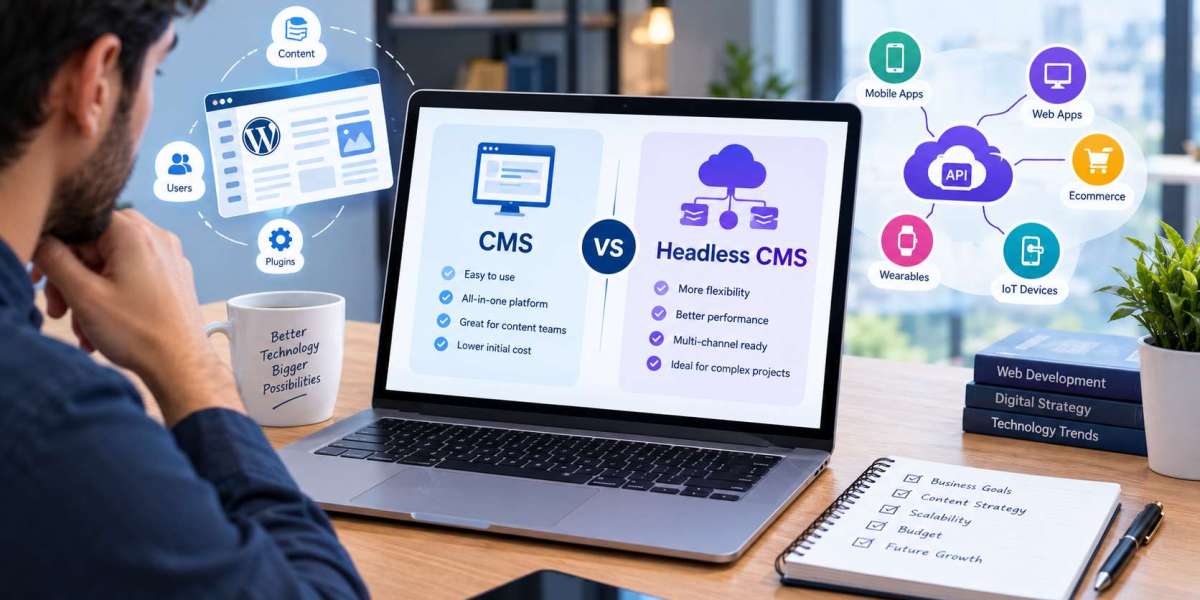

Many companies start on a traditional platform and later realize they need more speed, flexibility, or channels. Moving to a new architecture can feel risky, especially when search traffic and revenue depend on the existing site. The good news is that a careful plan makes the transition predictable. This guide from Xcentric Services explains when to migrate, how to prepare, and which mistakes to avoid. Whether you are leaving WordPress, Drupal, or Joomla, understanding the Headless CMS vs Traditional CMS journey will help you protect rankings and keep your team productive throughout the change.
Signs It May Be Time to Migrate
Not every site needs to move. Consider migrating when page speed stays poor despite optimization, when plugin conflicts cause frequent errors, when you need to publish the same content to apps and other channels, or when your developers feel blocked by theme limitations. Rapid growth, international expansion, and redesign plans are also common triggers. If your site is stable, fast, and meeting goals, a traditional CMS may serve you well for years, and the Traditional CMS vs Headless CMS question can wait.
Step One: Audit Your Existing Site
Start by documenting what you have. Crawl the site with a tool such as Screaming Frog, list all URLs, and record traffic, rankings, and conversions for each important page. Identify templates, plugins, forms, integrations, and custom features. Note outdated or duplicate content that should be removed. This audit becomes your migration map and your benchmark, so you can prove after launch that performance improved rather than guessing.
Step Two: Design the Content Model
Next, translate pages into structured content types. A blog post might include a title, slug, author reference, category, featured image, body, and SEO fields. A service page might include a hero section, benefits, testimonials, and FAQs. Workshops with editors and developers help catch missing fields early. A solid model is the heart of a headless project, and it is one of the key CMS vs Headless CMS Differences that sets headless work apart from simply installing a theme.
Step Three: Choose the Platform and Front-End Stack
Use a Headless CMS vs CMS Comparison to select a platform that fits your budget, team, and requirements. Consider hosted options such as Contentful, Sanity, and Storyblok or self-hosted options such as Strapi and Directus. Then choose a front-end framework, commonly Next.js for React teams or Nuxt.js for Vue teams. Evaluate localization needs, preview features, API limits, and community support. Running a small proof of concept with real content can reveal problems before you commit fully.
Step Four: Migrate Content and Media
Content migration can be automated with scripts that export from the old system and import into the new models through API. Clean the data first, converting old shortcodes, fixing broken links, and standardizing images. Check authors, dates, categories, and tags for accuracy. Always migrate a small batch first, review it carefully, and then process the rest. Keep a complete backup of the original database and media library until the new site is stable.
Step Five: Protect Your SEO
SEO protection is the most important part of any move. Build a redirect map that sends every old URL to its new equivalent with a 301 redirect. Preserve title tags, meta descriptions, headings, canonical tags, and structured data. Recreate XML sitemaps and robots.txt. Test the staging site for crawlability, then monitor Google Search Console closely after launch. In Headless CMS vs Traditional CMS for Websites projects, rushed redirects are the number one cause of traffic loss.
Step Six: Test, Launch, and Monitor
Test on multiple devices and browsers, check forms and integrations, and review accessibility and speed. Train editors using real tasks, not just slides. Plan launch during a low-traffic window, and keep the old site available for rollback. After going live, watch rankings, errors, Core Web Vitals, and conversions for several weeks, and fix issues quickly. A calm, measured launch is far better than a rushed one.
Choosing a Migration Approach
Teams usually pick one of three approaches. A full cutover moves everything at once and works for smaller sites with clear content. A phased migration moves sections gradually, which reduces risk for large sites. A hybrid approach keeps the traditional CMS as a content back end while a new headless front end replaces the theme, so editors keep a familiar dashboard. Each option has trade-offs in cost, speed, and complexity. Discuss them early, and pick the path that matches your tolerance for risk and your launch deadlines.
Budget and Resource Planning for Migration
Migration needs more than developer hours. Plan for content cleanup, design updates, QA testing, editor training, and post-launch support. Assign an owner who tracks decisions and keeps stakeholders informed, and set a realistic timeline with buffers for review cycles. Underestimating content volume is a frequent cause of delays, so inventory pages, images, and documents before you set a deadline. A clear scope, written approvals, and weekly progress reviews keep the project on track.
Common Risks and How to Reduce Them
Migration risks are manageable when you know them. Content can break during conversion, so test samples before bulk imports. Features may be forgotten, so list every form, redirect, tracking script, and integration. Editors may resist the change, so involve them early and share training materials. Search rankings can fluctuate briefly, so prepare reports and set expectations with stakeholders. Documenting each risk with an owner and a response keeps the project calm and under control.
Measuring Success After Migration
Define success before you begin. Useful metrics include page load time, Core Web Vitals scores, organic traffic, conversion rate, bounce rate, publishing speed, and the number of support tickets from editors. Compare each against your pre-migration benchmarks at thirty, sixty, and ninety days. Share results with stakeholders, and use them to guide improvements. Measured results prove the value of the project and highlight where additional optimization will pay off.
Final Thoughts
A successful migration depends on preparation, structured content, and careful SEO work. Done well, moving from a traditional platform to headless can improve speed, flexibility, and editorial consistency. Xcentric Services manages migrations from audit to launch, helping your business gain the benefits of a modern stack without losing the visibility you have built.
Frequently Asked Questions
How long does a CMS migration take?
Small sites may take a few weeks, while large or complex sites can take several months, depending on content volume, integrations, and testing needs.
Will I lose my SEO rankings when I migrate?
Not if you plan properly. Keep URLs consistent where possible, use 301 redirects, preserve metadata, and monitor Google Search Console after launch.
Can I migrate from WordPress to a headless CMS?
Yes. You can export WordPress content and import it into platforms such as Contentful, Strapi, or Sanity, or keep WordPress as a headless back end.
Should I migrate all content at once?
Not necessarily. Some teams move in phases, starting with a blog or a section of the site, which reduces risk and allows learning along the way.
What is the biggest migration mistake?
Skipping the redirect map and content audit. Without them, pages disappear, links break, and rankings can drop quickly.
Can I keep WordPress after moving to headless?
Yes. You can keep WordPress as the editing back end and replace the front end with Next.js or Nuxt.js, which keeps your editors comfortable.