
Introduction
Artificial intelligence is changing how people work, communicate, and manage their daily responsibilities. While traditional AI chatbots help users answer questions and generate content, a new generation of AI tools is designed to perform actions, manage workflows, and complete tasks with less manual effort. One of the platforms attracting attention in this space is OpenClaw.
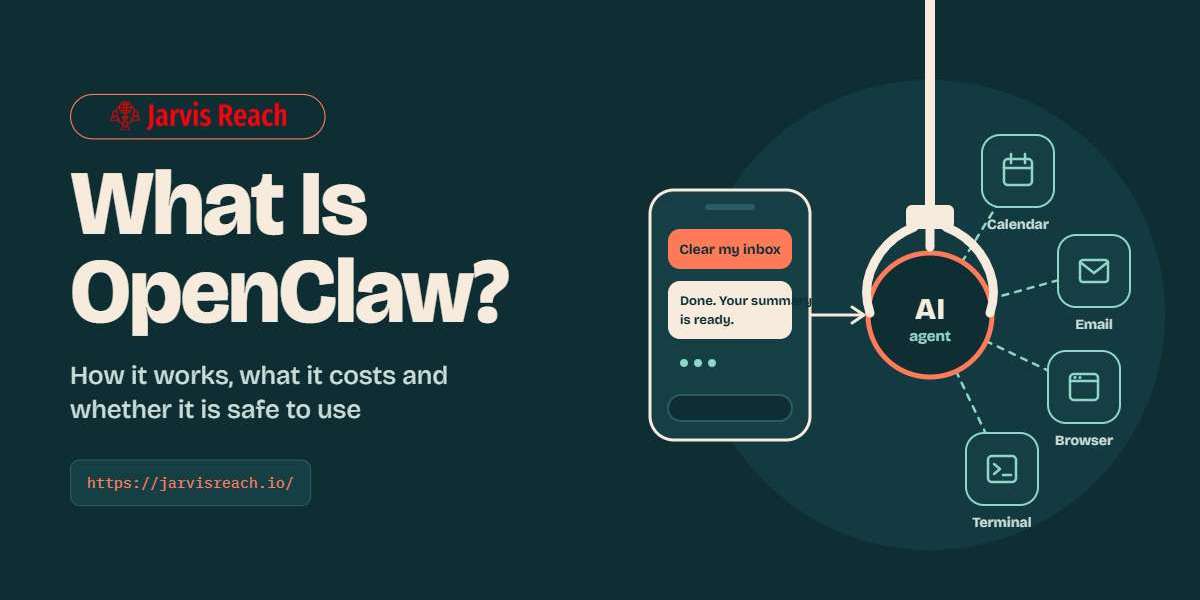
OpenClaw is an open-source, self-hosted AI assistant that connects language models with messaging applications, files, web browsers, and other tools. Instead of limiting interactions to a conversation window, it allows users to build workflows that can perform practical tasks through familiar communication channels. Depending on its configuration, it can assist with research, organize information, draft messages, automate repetitive activities, and support software development.
For individuals, developers, and businesses looking to improve productivity, understanding how OpenClaw works can reveal new ways to use AI in everyday operations. However, its ability to interact with real systems also makes security, permissions, and human oversight important considerations.
What Is OpenClaw?
OpenClaw is an AI assistant platform designed to run on a computer or server controlled by the user. It connects a selected AI model to tools and communication channels, allowing the assistant to respond to requests and carry out supported actions.
Unlike a conventional chatbot that primarily generates text, OpenClaw can be configured to work with files, browser sessions, command-line tools, scheduled tasks, and messaging platforms. Its capabilities depend on the tools, integrations, permissions, and AI model available in a particular setup.
The platform supports communication through applications such as WhatsApp, Telegram, Discord, Slack, and other compatible channels. This means users can interact with their assistant through an existing messaging application rather than constantly opening a separate AI website.
OpenClaw is also open source, making it possible for developers to inspect its code, customize its behavior, and extend its functionality. Users can choose supported hosted AI models or configure local models, depending on their technical requirements and available hardware.
How Does OpenClaw Work?
OpenClaw works by connecting a messaging interface, an AI model, and a collection of tools through a central component called the Gateway. Each part contributes to the assistant's ability to understand requests and perform tasks.
1. The Gateway Connects Everything
The Gateway acts as the central control layer. It manages communication channels, sessions, tool access, and interactions between the assistant and connected services.
For example, when a user sends a request through a supported messaging application, the Gateway routes the message to the appropriate assistant session. The assistant processes the request and can use its available tools when additional actions are necessary.
2. An AI Model Understands the Request
OpenClaw works with supported AI models that interpret instructions, reason through tasks, and determine which available tools may be useful.
A user might request a summary of several web pages or ask for help organizing a collection of files. The model interprets the instruction, identifies the necessary steps, and uses the configured tools to work toward the requested result.
The quality of the outcome depends on the model, the clarity of the instructions, the available information, and the permissions granted to the assistant.
3. Tools Help the Assistant Perform Actions
Tools expand OpenClaw beyond text generation. Depending on the configuration, these may include web search, browser automation, file operations, command execution, messaging, and scheduling.
For instance, the assistant may collect information from websites, summarize the findings, save the results in a document, and return a report through a connected chat application.
4. Sessions and Memory Support Continuity
OpenClaw can maintain conversation history and configured memory to help users continue work across sessions. This is particularly useful for ongoing projects that involve repeated instructions, established preferences, or several stages of work.
However, memory behavior depends on the configuration and the information stored. Users should understand what is retained, where it is stored, and how it can be managed.
Key Features of OpenClaw
OpenClaw combines several capabilities that make it useful for people who want greater control over their AI workflows.
Self-Hosted AI Assistant
One of its defining features is the ability to run the Gateway on infrastructure controlled by the user. This can provide greater control over configuration, stored workspace information, and access permissions.
Self-hosting does not automatically mean that every piece of information remains on the user's computer. When a hosted AI model or external integration is used, relevant prompts, data, or requests may be transmitted to that provider. Understanding these data flows is essential.
Multiple Messaging Integrations
OpenClaw can connect with supported messaging applications, enabling users to interact with their assistant through familiar channels.
This can make everyday tasks more convenient. A user might send a research request while away from their computer and receive the result through a configured messaging channel.
The available integrations and setup requirements depend on the platform and the specific channel being configured.
Automation and Scheduled Tasks
OpenClaw supports automation features that can help users organize recurring work. Depending on the setup, these may include scheduled research, reminders, periodic summaries, and other repeatable workflows.
For example, a business owner could configure an assistant to prepare a daily overview of selected information sources. A developer could schedule a workflow to check project information and report important changes.
Automation should be tested carefully before it is allowed to make consequential changes or send messages without approval.
Browser and File Operations
With the appropriate tools and permissions, OpenClaw can interact with web pages and local workspace files. These capabilities can help users gather information, organize documents, prepare reports, and complete repetitive browser-based activities.
The exact level of access depends on the configured environment. Users should avoid granting broad access to sensitive files or accounts unless the workflow genuinely requires it.
Skills, Plugins, and Custom Workflows
OpenClaw can be extended through tools, skills, and plugins. Tools provide specific actions, skills describe repeatable procedures, and plugins can introduce additional integrations or capabilities.
This extensibility allows developers to adapt the assistant to different requirements. A workflow designed for research may need different tools from one intended for software development or business reporting.
Practical Use Cases of OpenClaw
OpenClaw can support different types of work, from personal organization to technical automation. The following examples illustrate where it may provide value.
1. Research and Information Gathering
Research often involves visiting multiple websites, comparing information, and preparing a useful summary. OpenClaw can assist with this process by gathering information from accessible sources and organizing the findings into a report.
For example, a marketer researching industry trends could request a summary of relevant articles, competitor updates, and emerging topics. The assistant could help structure the findings and identify areas that require further investigation.
Users should verify important facts and confirm that the sources are reliable before using the information in business decisions or published content.
2. Content Planning and Writing
Content teams can use OpenClaw to support brainstorming, topic research, outlines, first drafts, and editorial planning.
A content marketer might ask the assistant to review a set of existing articles, identify recurring themes, and suggest topics for future posts. With suitable tools, it could also organize draft documents or prepare a content calendar.
AI-generated content still requires editorial review. Accuracy, originality, brand voice, search intent, and factual claims should be checked before publication.
3. Email and Communication Management
When configured with suitable integrations and permissions, OpenClaw can assist with drafting emails, summarizing conversations, and preparing follow-up messages.
For example, a professional could request a summary of important messages and a list of pending responses. The assistant could organize the information and draft replies for review.
Sending messages automatically introduces additional risks. Sensitive communications, external commitments, and messages sent to customers should generally require human approval until the workflow has been thoroughly tested.
4. Business Process Automation
Small businesses frequently spend time on repetitive administrative work, including collecting information, preparing reports, updating records, and monitoring routine activities.
OpenClaw can help connect parts of these workflows when the required tools and integrations are available. A business might use it to collect information from approved sources, summarize operational updates, and prepare a report for the team.
The best starting point is a simple, low-risk process with clearly defined inputs and outputs. More complex automation can be introduced after the initial workflow proves reliable.
5. Software Development
Developers can use OpenClaw to assist with coding-related tasks, repository operations, documentation, and workflow coordination.
Depending on its configuration, an assistant may inspect files, help explain code, run permitted commands, or support debugging and testing activities. It can also help organize technical information and prepare documentation.
It should not be treated as a substitute for code review or testing. Changes must be evaluated for correctness, security, and compatibility before they are deployed.
6. Personal Productivity
OpenClaw can also help individuals manage everyday responsibilities. Possible uses include preparing daily briefings, organizing project notes, creating reminders, and collecting information from connected services.
For someone managing several projects, a configured assistant may help turn scattered requests into structured summaries and action lists. This can reduce repetitive administrative work and make ongoing tasks easier to track.
Benefits of Using OpenClaw
One major advantage of OpenClaw is flexibility. Users can select supported models, configure integrations, and adapt workflows to their own requirements rather than relying entirely on a fixed set of features.
Its messaging integrations can also make AI assistance accessible through tools people already use. Instead of switching between multiple applications, users can submit requests through a supported channel and receive results in the same environment.
Another benefit is extensibility. Developers can create skills, configure tools, and connect additional services to support specific workflows. This makes the platform useful for experimentation as well as more structured automation projects.
Self-hosting can provide greater control over infrastructure and local data storage. Nevertheless, the actual privacy benefits depend on how the system is configured, which model providers are used, and what information is shared with external services.
Finally, OpenClaw can help reduce repetitive work by combining several steps into a single workflow. When configured correctly, it can support activities that would otherwise require frequent manual switching between applications.
Is OpenClaw Free to Use?
OpenClaw is open-source software, and the project is available under the MIT license. However, using the software does not necessarily mean that every part of an implementation will be free.
Costs may arise from hosted AI model usage, server hosting, hardware, third-party services, or other integrations. Some providers charge according to the number of requests or tokens processed, while running a suitable local model may require additional computing resources.
Before deploying OpenClaw, users should estimate their expected workload, choose an appropriate model, and understand any usage limits or external service charges. A small personal workflow may have very different requirements from a business deployment that processes large amounts of information.
OpenClaw Security and Privacy Considerations
An AI assistant that can access files, accounts, browsers, or command-line tools requires more careful security management than a chatbot that only generates text.
The first step is to apply the principle of least privilege. Give the assistant only the permissions necessary for its intended tasks. Avoid exposing sensitive credentials, personal documents, or administrative access when they are not required.
Second, secure the Gateway and connected messaging channels. Use appropriate authentication, restrict access to trusted users, and follow the official security guidance before enabling remote access or sharing an instance with a team.
Third, review third-party skills and plugins before installing them. Extensions may introduce additional code, permissions, or data-handling behavior. Their origin and functionality should be checked rather than assumed to be safe.
Finally, use human approval for consequential actions. Sending external messages, deleting files, changing business records, or executing commands can have real effects. Begin with supervised workflows, test them with non-sensitive information, and expand access only when the safeguards are appropriate.
How to Get Started With OpenClaw
Getting started requires some technical preparation, but a structured approach can make the process easier.
First, review the official documentation at https://docs.openclaw.ai/ to understand supported platforms and installation requirements. Choose whether you want to run the Gateway on your own computer or on a server.
Next, select a supported AI model or provider and configure the necessary authentication. Review possible usage charges before connecting a paid service.
After installation, start with the basic configuration and verify that the assistant responds correctly. Connect one messaging channel if needed, and test a straightforward task such as summarizing public information or organizing a sample document.
Once the basic workflow works reliably, introduce additional tools or skills one at a time. Test permissions, review the results, and keep a record of what the assistant can access or change.
Avoid connecting every account and enabling unrestricted automation during the initial setup. A smaller, well-tested configuration is easier to understand, maintain, and secure.
OpenClaw vs. Traditional AI Chatbots
Traditional AI chatbots are generally designed to answer questions, explain concepts, and generate content through a conversational interface. Their ability to perform external actions depends on the features and integrations provided by their platform.
OpenClaw takes a more configurable, tool-oriented approach. It can connect an AI model to messaging channels, files, browser operations, and other supported capabilities through a user-managed Gateway.
This does not mean OpenClaw is automatically better for every task. Someone who needs quick answers, simple writing assistance, or an easy-to-use interface may prefer a conventional chatbot. A developer or technically confident user who wants to customize workflows and connect AI to personal infrastructure may find OpenClaw more suitable.
The right choice depends on technical ability, privacy requirements, budget, desired integrations, and the amount of control needed over automation.
Conclusion
OpenClaw represents a practical approach to using AI as more than a conversational tool. By connecting language models with messaging applications, files, browser capabilities, and configurable workflows, it can help users organize information, support research, manage repetitive tasks, and improve productivity.
Its open-source nature and self-hosted architecture provide flexibility for people who want to customize how their AI assistant operates. At the same time, these advantages come with responsibilities. Setup, permissions, model costs, privacy, and security all influence the quality and safety of the experience.
For individuals and businesses exploring AI automation, the most effective approach is to begin with a clearly defined task, test the results carefully, and expand gradually. With realistic expectations and appropriate safeguards, OpenClaw can become a useful part of a broader productivity and automation strategy.