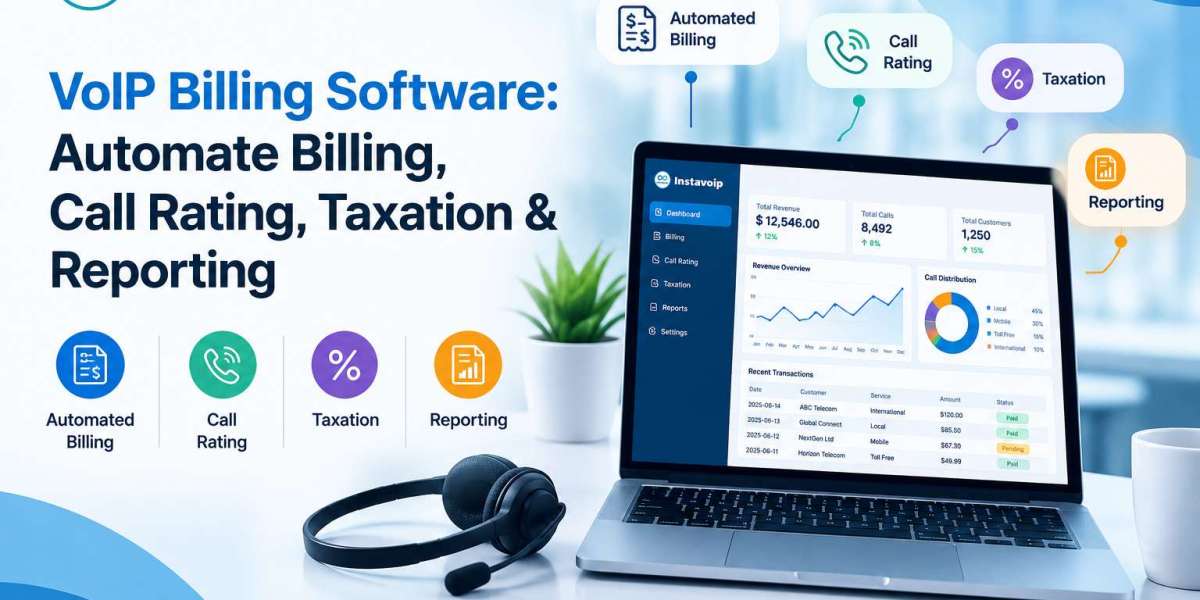

Managing a VoIP business involves more than providing reliable voice services. Providers must track call usage, calculate charges, manage customer accounts, apply taxes, and prepare accurate reports. When these tasks are handled manually, billing errors, delayed invoices, and payment disputes can become common problems. VoIP billing software helps simplify these processes by automating billing calculations, call rating, tax management, and financial reporting.
For VoIP providers, telecom resellers, and businesses managing large volumes of calls, an organized billing system can improve accuracy and reduce administrative work. Understanding how these tools work can help you choose an approach that fits your business needs.
What Is VoIP Billing Software?
VoIP billing software is a system that tracks voice communication usage and converts it into billable charges. It uses call records, service plans, pricing rules, and customer account details to calculate how much a customer owes.
For example, a VoIP provider may charge customers according to call duration, destination, monthly subscription, or a combination of these factors. The software processes the relevant information and prepares invoices based on the configured pricing rules.
Common users include:
VoIP service providers managing multiple customer accounts.
Telecom resellers offering calling services to businesses.
Call centers handling high volumes of inbound and outbound calls.
Businesses that need detailed records of communication expenses.
The main purpose is to make billing more consistent, transparent, and easier to manage.
How Does VoIP Billing Automation Work?
Automated billing connects call records with pricing rules and customer accounts. Although the exact process depends on the platform, most systems follow several steps.
1. Collect Call Records
The system receives Call Detail Records (CDRs) containing information such as call duration, destination, start time, and other usage details. These records provide the foundation for calculating call charges.
Accurate records are essential because missing or duplicated data can lead to incorrect invoices.
2. Apply Call Rating Rules
Call rating determines the cost of each call according to the provider's pricing structure. Rates may vary by destination, duration, customer plan, or time of day.
For example, international calls may have different rates from domestic calls. Automated rating applies the relevant rules to calculate charges consistently.
3. Generate Customer Invoices
After calculating usage, the system combines the charges with applicable subscriptions, recurring fees, and other billable services. It can then generate invoices for individual customers or business accounts.
Automated invoice generation reduces repetitive work and helps providers maintain regular billing cycles.
Key Features to Look for in VoIP Billing Software
Not every billing platform offers the same capabilities. Before choosing one, consider which features support your daily operations.
Automated billing: Recurring invoices and usage-based calculations help reduce manual data entry and administrative delays.
Flexible call rating: Support for different destinations, pricing plans, and billing rules allows providers to manage varied customer agreements.
Tax calculation: Tax configuration can help apply relevant rates to taxable services. Providers should confirm that the system supports their operating regions and tax requirements.
Payment tracking: Customer payment records help identify unpaid invoices, monitor outstanding balances, and support follow-up activities.
Detailed reporting: Reports on call usage, revenue, billing adjustments, and outstanding payments help businesses understand their financial performance.
Customer account management: A centralized view of customer plans, usage, invoices, and balances makes account management easier.
Why Taxation and Reporting Matter
Tax handling can become complicated when a provider serves customers across different locations. Tax obligations depend on factors such as jurisdiction, service type, and customer location. Billing software can apply configured tax rules, but businesses must verify that those rules reflect their actual obligations.
Reporting is equally important. Clear reports help providers identify billing discrepancies, understand usage patterns, and review revenue.
Useful reports may include:
Call usage by customer or destination.
Monthly revenue and invoice summaries.
Outstanding payments and overdue balances.
Tax calculations and billing adjustments.
Unusual usage patterns that require investigation.
Reviewing these reports regularly helps businesses identify issues before they affect customer relationships or financial records.
How VoIP Billing Supports Call Center Operations
Call centers often manage large numbers of calls across multiple teams, customers, and destinations. Without organized billing processes, tracking communication costs can become difficult.
VoIP billing software helps businesses connect call usage records with customer accounts and service charges. This is useful for organizations offering VoIP call center solutions or operating a customer support center where communication expenses need close monitoring.
For example, a service provider billing several companies for call center usage can use detailed call records to calculate charges for each account. This makes invoices easier to review and provides customers with clearer information about their usage.
However, billing software alone does not manage every aspect of call center operations. Businesses may also need separate tools for call routing, agent monitoring, customer relationship management, and support workflows.
How to Choose the Right Billing System
Before selecting a platform, review your current billing process and identify the problems you need to solve.
Consider these points:
Business size: Choose a system that can handle your current call volume and expected growth.
Pricing flexibility: Check whether it supports your billing models, including usage-based and recurring charges.
Integration options: Confirm compatibility with your existing VoIP infrastructure and accounting tools.
Tax and compliance needs: Verify support for the regions and services you operate in.
Reporting quality: Look for reports that help you review usage, revenue, and unpaid invoices.
Data accuracy: Ask how the system handles duplicate records, failed processing, billing adjustments, and corrections.
Testing these features before implementation can help prevent unexpected problems after switching systems.
Conclusion
VoIP billing software helps service providers automate call rating, invoice generation, tax calculations, and financial reporting. By reducing manual work and organizing customer usage data, it can make billing easier to manage and improve the clarity of customer invoices.
The right system depends on your call volume, pricing structure, integration requirements, and reporting needs. Reviewing these factors before making a decision can help you build a more accurate and efficient billing process.
If you want to improve how your business manages VoIP billing and communication services, explore the available solutions and resources from Instavo IP to learn more about options that may fit your business requirements.