
November 19, 2026 | By Brian Foy
Can changing your driver shaft lower spin without increasing swing speed? For one Steadfast Golf customer, that is exactly what his launch monitor readings suggested.
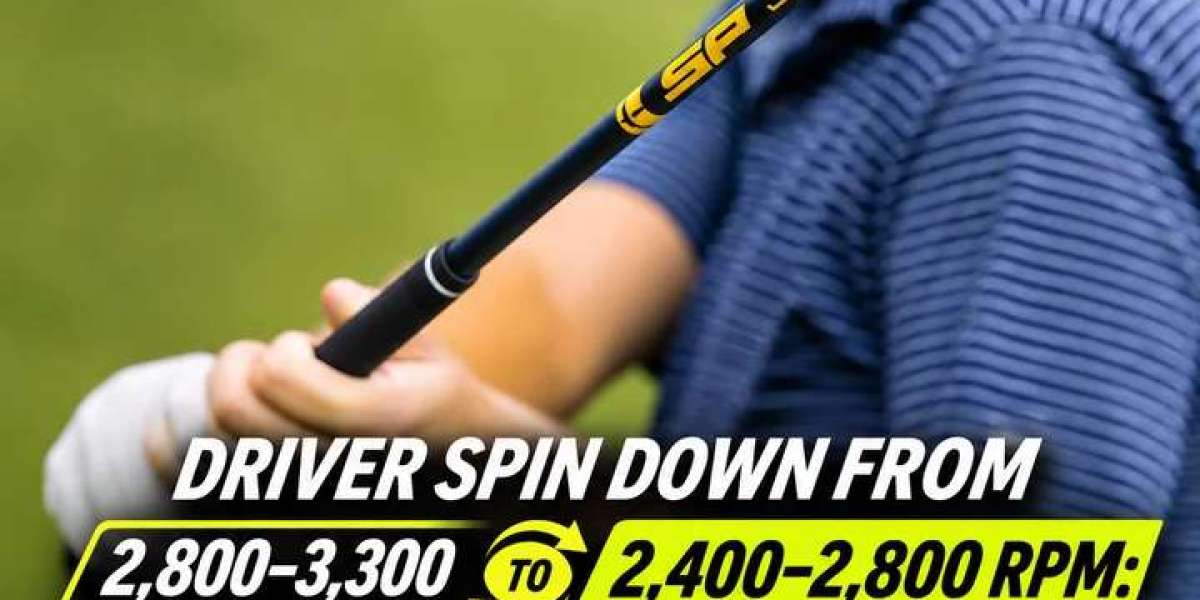
Tom Dolan, a 13-handicap golfer with a driver swing speed of 105–110 mph, reported that his spin dropped from approximately 2,800–3,300 rpm to 2,400–2,800 rpm after switching to the Steadfast JUPITER Lite driver shaft.
He also noticed a ball flight roughly 10% higher, an easier swing feel, and consistent carry distances of 240–260 yards. His swing speed, however, remained unchanged.
Tom's experience raises an interesting question: how can a lighter golf shaft affect spin, launch, and accuracy without adding clubhead speed?
To answer that, we'll examine his review, explain the factors that influence driver spin, compare the JUPITER Lite and JUPITER One, and look at how golfers can evaluate their own launch monitor numbers.
What Happened When Tom Dolan Switched to the JUPITER Lite?
On November 16, 2026, Tom left a verified five-star review titled "Another great shaft from Steadfast."
Before trying the JUPITER Lite, he had been playing the standard JUPITER One in X-Stiff flex. He had also used other shafts, including Tensei Blue, HZRDUS, and Ventus Black.
Interestingly, Tom did not report a distance improvement when he first switched to the JUPITER One. What impressed him was the improvement in dispersion.
He explained that the original shaft helped maintain face angle on off-center strikes, particularly when contact occurred toward the toe or heel.
That improvement was significant enough for him to keep the JUPITER One in his driver.
When the lighter JUPITER Lite became available, he decided to compare the two.
Lower Driver Spin Without Additional Swing Speed
Tom's most noticeable change involved driver spin.
With his previous setup, his spin typically ranged from 2,800 to 3,300 rpm.
After switching to the JUPITER Lite, he reported readings regularly between 2,400 and 2,800 rpm.
That represents a meaningful shift in his observed spin range, although the ranges overlap and do not establish an exact average reduction.
He also reported:
Swing speed: Consistent at 105–110 mph, without a noticeable increase.
Ball flight: Approximately 10% higher by his estimate.
Carry distance: Regularly 240–260 yards on his Garmin radar.
Swing feel: Noticeably easier and well balanced.
Accuracy: Consistent when contact occurred near the center of the driver face.
Tom expected the combination of lower spin and higher flight to improve his on-course carry and roll.
However, he did not provide a measured before-and-after carry comparison. His review therefore supports a reported change in spin, not a confirmed distance gain.
These are self-reported measurements from one golfer using his own equipment, rather than results from a controlled laboratory test.
What Is a Good Driver Spin Rate?
A good driver spin rate is one that works with your swing speed, launch angle, ball speed, and impact conditions to produce useful carry distance and a consistent ball flight.
There is no single ideal number for every golfer.
Driver spin is measured in revolutions per minute (rpm). It describes how quickly the golf ball rotates backward after impact.
Backspin helps the ball generate aerodynamic lift, but too much or too little can hurt performance.
Excessive spin can contribute to a climbing flight that loses forward momentum, particularly into the wind.
Insufficient spin, especially with a low launch angle, can cause the ball to fall out of the air too quickly.
Driver Spin Benchmarks by Handicap
TrackMan has published the following average driver spin rates for different levels of male golfers:
PGA Tour players: 2,545 rpm
Scratch or better amateurs: 2,896 rpm
5-handicap golfers: 2,987 rpm
10-handicap golfers: 3,192 rpm
14.5-handicap golfers: 3,275 rpm
These figures provide useful context, but they are averages, not fitting targets.
A golfer with a 13 handicap might have a much faster or slower swing than another player with the same handicap.
Tom's previous spin range of 2,800–3,300 rpm was broadly consistent with the amateur benchmarks.
His reported JUPITER Lite range of 2,400–2,800 rpm moved closer to the published PGA Tour average.
That does not mean he achieved Tour-level driving performance. Spin is only one part of the equation.
What About Golfers Swinging Over 105 MPH?
MyGolfSpy has presented launch and spin guidance based on TrackMan data suggesting that golfers swinging faster than 105 mph may benefit from approximately 1,750–2,300 rpm of spin and 10–16 degrees of launch under certain impact conditions.
Those numbers should not be treated as universal targets.
A golfer's angle of attack, ball speed, strike location, and delivered loft all affect the launch conditions needed for maximum distance.
Tom's reported spin range of 2,400–2,800 rpm was closer to that guidance than his earlier readings, but his ideal numbers would still require individual testing.
The goal is not simply to achieve the lowest possible spin.
It is to find the combination of launch and spin that produces reliable distance and accuracy.
What Actually Causes High Driver Spin?
Driver spin is influenced by several interacting factors, including dynamic loft, angle of attack, strike location, clubhead speed, and friction.
A driver shaft can influence how the clubhead reaches the ball, but it does not determine spin independently.
1. Dynamic Loft and Spin Loft
Dynamic loft is the actual loft presented by the clubface at impact.
Spin loft describes the difference between dynamic loft and angle of attack.
In general, increasing spin loft tends to increase backspin, assuming other conditions remain comparable.
For example, a golfer who delivers excessive dynamic loft may generate more spin than another player swinging at the same speed.
Changing a driver's loft setting can influence spin, but it also changes launch and potentially face orientation.
That is why loft adjustments should be evaluated using actual ball-flight measurements.
2. Angle of Attack
Angle of attack describes whether the clubhead is moving upward or downward at impact.
A more downward driver strike can increase spin loft when delivered loft remains the same.
A more upward strike may help some golfers achieve higher launch with lower spin.
However, a positive angle of attack does not automatically guarantee low spin or additional distance.
The resulting ball flight still depends on dynamic loft, contact quality, and other impact conditions.
3. Impact Location on the Driver Face
Strike location can make a substantial difference.
TrackMan has explained that contact low on the driver face can add significant backspin, potentially around 1,000 rpm in some situations.
Contact higher on the face generally tends to reduce backspin because of vertical gear effect.
This is one reason two swings with nearly identical clubhead speed can produce noticeably different spin readings.
Before changing your driver shaft, check whether your contact pattern is consistently high, low, centered, or toward the heel or toe.
4. Swing Speed and Ball Speed
Clubhead speed influences the forces involved at impact and can affect spin when other variables remain similar.
However, two golfers with identical swing speeds can produce very different spin rates.
Ball speed and strike efficiency also matter when evaluating distance.
Tom's review is particularly interesting because he reported lower spin without an increase in swing speed.
That suggests his measured change was not simply the result of swinging faster.
It does not, however, identify which impact variable caused the difference.
5. Shaft Weight, Flex, and Bend Profile
A shaft's weight, overall stiffness, and bend profile can influence how a golfer delivers the clubhead.
For some players, a lighter shaft makes it easier to maintain rhythm and achieve consistent contact.
For others, additional shaft weight may improve timing and control.
Similarly, a softer tip section may contribute to higher launch or spin for some golfers, but the outcome is not universal.
The shaft interacts with the golfer's release pattern, tempo, clubhead, and impact location.
This is why choosing a carbon fiber golf shaft should involve more than comparing advertised launch and spin characteristics.
Can a Lighter Driver Shaft Actually Reduce Spin?
Yes, a lighter driver shaft can be associated with lower measured spin for an individual golfer, but lighter weight alone does not guarantee lower spin.
A shaft change may influence timing, delivered loft, face orientation, and impact location.
Any of those changes can affect the ball's launch conditions.
For example, a golfer who strikes the ball low on the face with one shaft might achieve more centered contact with another.
That difference in impact location could reduce spin even if the second shaft has a softer tip.
Likewise, a golfer who feels more comfortable with a lighter shaft may deliver the clubhead differently.
Tom's experience illustrates this possibility.
He described the JUPITER Lite as easier to swing and well balanced, while reporting a lower spin range.
Steadfast's JUPITER Lite has a softened tip section intended to improve responsiveness and launch.
A softer tip does not necessarily predict lower spin, which makes Tom's observations a useful reminder that fitting results depend on the complete golfer-and-club combination.
Without controlled testing of his dynamic loft, attack angle, impact location, and other variables, the precise cause of his spin reduction remains unknown.
JUPITER Lite vs. JUPITER One: Which Driver Shaft Performs Better?
The Steadfast JUPITER Lite and JUPITER One are designed with different shaft characteristics.
Neither is automatically the best driver shaft for every golfer.
Tom's experience provides an interesting comparison because he used both shafts with his own swing.
JUPITER One: Better Control on Off-Center Hits
Tom initially selected the JUPITER One because of its impact on dispersion.
Although he did not see additional distance compared with his previous shafts, he reported a substantial improvement in directional consistency.
He particularly appreciated how the shaft felt when he struck the ball toward the toe or heel.
According to his review, the JUPITER One was better at maintaining face angle during those mishits.
That mattered because the result was a more predictable shot even when contact was imperfect.
The JUPITER One driver shaft weighs approximately 50–61 grams depending on flex.
For golfers prioritizing stability, predictable feel, and a driver shaft for accuracy, those characteristics may be worth evaluating during a fitting.
JUPITER Lite: Easier Swing Feel and Lower Reported Spin
Tom preferred the JUPITER Lite for different reasons.
At approximately 45 grams, it is lighter than the JUPITER One.
He described the Lite as noticeably easier to swing, with a balanced feel that suited his timing.
His reported spin decreased from 2,800–3,300 rpm to 2,400–2,800 rpm, while his swing speed remained consistent.
He also noticed a slightly higher ball flight.
However, he acknowledged that the JUPITER One performed better on extreme toe and heel strikes.
The Lite maintained good accuracy when he contacted the ball near the center of the face.
His decision came down to the characteristics he valued most: swing feel, spin, and consistent center-face performance.
Other JUPITER Lite customers have shared encouraging experiences. Mike Cooper reported that mishits seemed less severe, while Christopher Quinn expressed optimism about improved distance and accuracy.
Like Tom's observations, these are individual customer experiences rather than controlled performance comparisons.
How Can You Tell If Your Driver Has Too Much Spin?
High driver spin becomes a concern when it contributes to inefficient ball flight, reduced distance, or inconsistent performance.
A reading above 3,000 rpm does not automatically mean something is wrong.
The number needs to be evaluated alongside swing speed, launch angle, ball speed, and strike location.
Some common signs worth investigating include:
Drives that climb unusually high and appear to lose forward momentum.
Shots that struggle to maintain distance into the wind.
Launch monitor readings showing consistently high spin relative to your speed and launch conditions.
Carry distance that seems low for your measured ball speed.
Frequent contact low on the driver face.
These symptoms are not proof that the shaft is the problem.
Driver loft, swing delivery, strike quality, and ball characteristics may also contribute.
The most useful starting point is to measure your current performance.
If you do not know your clubhead speed, Steadfast Golf's guide on how to find your driver swing speed without a launch monitor can help you establish an initial estimate.
How to Test Whether a New Driver Shaft Improves Your Spin
A fair shaft comparison should focus on repeatable performance rather than the longest drive of the session.
Before testing, record your existing driver setup and typical launch monitor readings.
Step 1: Establish Your Baseline
Measure your current:
Driver swing speed
Ball speed
Launch angle
Backspin rate
Carry distance
Shot dispersion
Typical impact location
Also record the driver's loft setting, shaft weight, shaft flex, and playing length.
These details help you understand whether a performance change may be related to the shaft or another variable.
Step 2: Keep Testing Conditions Consistent
When possible, compare shafts using the same driver head, loft setting, golf ball model, and launch monitor.
Hit at least 10 reasonably representative drives with each shaft.
Alternating between shafts during the session can help reduce the influence of fatigue or changing swing conditions.
If the shafts have different playing lengths, grips, or swing weights, record those differences because they can affect the comparison.
Step 3: Check Your Strike Pattern
Use impact tape or foot spray to identify where the ball contacts the driver face.
This is important because a lower spin reading may result from improved contact rather than a direct change in shaft behavior.
A shaft that helps you strike the ball more consistently could still be beneficial, even if the mechanism is indirect.
Step 4: Compare Average Performance
Do not judge the test using your single lowest spin reading or longest drive.
Instead, compare representative averages and the consistency of your results.
Look at spin, launch, ball speed, carry, and dispersion together.
For example, lower spin is not necessarily an improvement if your carry distance decreases or your shots become harder to control.
Step 5: Confirm Results on the Course
Launch monitor testing is valuable, but actual playing conditions matter.
Pay attention to how the shaft performs with different tee shots, wind conditions, and pressure situations.
A high performance golf shaft should help you produce a ball flight you can trust, not simply an impressive number during one practice session.
Who Should Consider the Steadfast JUPITER Lite Driver Shaft?
The JUPITER Lite may appeal to golfers looking for a lighter shaft with a responsive feel and higher-launch design characteristics.
According to the product specifications supplied for this article, it features high-modulus carbon fiber construction, a weight of approximately 45 grams, and a 45.5-inch playing length.
Its softened tip section is designed to influence responsiveness and launch.
The shaft is offered in four flex options, with the following manufacturer-recommended swing speed ranges:
Senior: 70–89 mph
Regular: 90–99 mph
Stiff: 100–109 mph
X-Stiff: 110–129 mph
These ranges are fitting starting points rather than strict boundaries.
Tom, for example, reported a swing speed of 105–110 mph while using X-Stiff.
That places him near the transition between the listed Stiff and X-Stiff ranges.
His choice illustrates why driver shaft flex should not be selected using swing speed alone.
Tempo, transition, release pattern, and personal feel can also influence the preferred flex.
Golfers considering different flex options can use the Steadfast Golf Shaft Selector Quiz as an initial guide.
Steadfast also describes a 60-day flex exchange program for eligible purchases. This is a flex exchange rather than a refund, and custom builds are excluded. Review the 60-day flex guarantee details before purchasing.
Frequently Asked Questions About Driver Spin and JUPITER Lite
1. Can changing a driver shaft reduce backspin?
Yes. Changing a driver shaft can influence spin by affecting clubhead delivery, dynamic loft, and impact location. However, a lower-spin result is not guaranteed. Shaft weight, flex, bend profile, and individual swing characteristics all matter. A launch monitor comparison is the most reliable way to evaluate the difference.
2. What is a good driver spin rate for a 105–110 mph swing speed?
There is no universal target. Some fitting guidance suggests that golfers above 105 mph may benefit from spin around 1,750–2,300 rpm under suitable launch and impact conditions. However, the ideal range depends on launch angle, ball speed, attack angle, and strike quality. Carry distance and consistency should guide the final decision.
3. Does a lighter driver shaft increase swing speed?
A lighter shaft can help some golfers swing faster, but it does not guarantee an increase. Shaft balance, timing, and personal preference also affect performance. Tom Dolan reported that the JUPITER Lite felt easier to swing, yet his swing speed remained consistent at 105–110 mph.
4. Why did Tom Dolan experience lower spin with the JUPITER Lite?
Tom reported lower spin after switching shafts, but the exact cause is unknown. The Lite may have influenced his delivery or strike pattern. His review did not include controlled measurements of dynamic loft, attack angle, or impact location, so the reduction cannot be attributed to one shaft characteristic alone.
5. Is the JUPITER Lite better than the JUPITER One for accuracy?
Not necessarily. Tom reported that the JUPITER One handled extreme toe and heel mishits better, while the Lite provided consistent accuracy when he struck the center of the face. His preference for the Lite was based largely on its easier swing feel and lower reported spin. Other golfers may prefer different characteristics.
6. Can lower driver spin increase carry distance?
Lower spin can improve carry distance when the original spin rate is excessive and the resulting launch conditions are better matched to the golfer. However, reducing spin too much can decrease carry. Tom expected a distance benefit from his lower spin, but he did not provide a measured before-and-after carry comparison.
7. Should I choose driver shaft flex based only on swing speed?
No. Swing speed is a useful starting point, but tempo, transition, release pattern, shaft weight, and personal feel also matter. Two golfers swinging at 105 mph may prefer different flexes. Testing the available options with the same driver head can help identify the best combination of consistency, launch, and control.
8. What happens if I choose the wrong JUPITER Lite shaft flex?
Steadfast Golf describes a 60-day flex exchange program for eligible shafts. The program allows qualifying customers to exchange for another flex rather than receive a refund. Custom builds are excluded. Check the current terms and eligibility requirements before ordering, particularly if you are selecting a customized configuration.
Final Thoughts: Lower Driver Spin Starts With Better Information
Tom Dolan's JUPITER Lite review shows why golf shaft fitting involves more than chasing additional swing speed.
As a 13-handicap golfer swinging 105–110 mph, he reported that his driver spin moved from 2,800–3,300 rpm to 2,400–2,800 rpm after changing shafts.
He also noticed a higher ball flight, easier swing feel, and consistent carry distances of 240–260 yards.
Importantly, his swing speed did not increase.
His experience does not prove that the JUPITER Lite will lower spin for every golfer. It demonstrates why evaluating the complete set of launch conditions matters.
If your driver produces excessive spin or inconsistent flight, start by measuring your current performance. Check your impact location, launch angle, and ball speed before deciding which equipment change makes sense.
For golfers interested in a lightweight carbon fiber option, explore the Steadfast JUPITER Lite and compare its specifications with your current shaft to decide whether it deserves a place in your next fitting session.