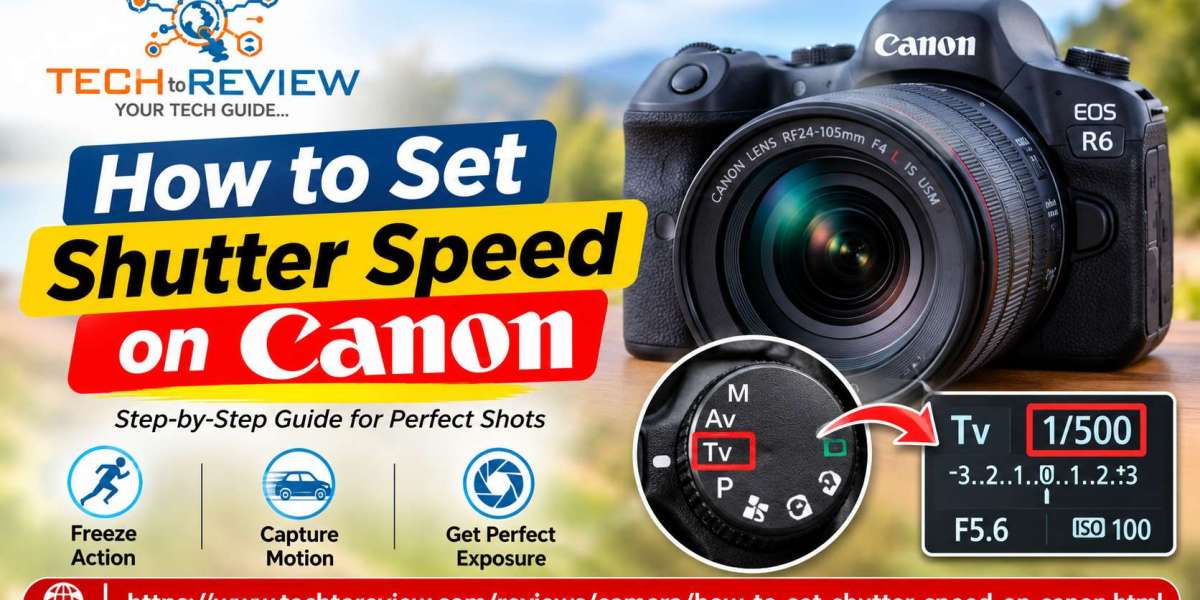

Understanding shutter speed is essential for capturing sharp, creative, and professional-looking photographs. Whether you enjoy wildlife photography, sports, portraits, or landscapes, learning how to control shutter speed can improve your results. If you are wondering how to set shutter speed on Canon, the process is relatively simple once you understand your camera's shooting modes and control dial.
Canon cameras offer different options for adjusting exposure settings according to your photography requirements. This guide explains how shutter speed works, how to change it, and which settings are useful for different shooting situations.
1. Understand What Shutter Speed Means
Shutter speed refers to the amount of time your camera sensor is exposed to light when taking a photograph. It is generally measured in fractions of a second, such as 1/60, 1/250, or 1/1000.
A faster shutter speed captures moving subjects with less motion blur, while a slower shutter speed creates motion effects.
For example:
1/1000 second: Useful for freezing fast-moving subjects.
1/250 second: Suitable for everyday action photography.
1/60 second: Common for relatively stationary subjects.
1 second: Useful for creative long-exposure photography with a tripod.
Understanding these differences makes it easier to choose the right Canon camera shutter speed for your photography style.
2. Select Shutter Priority Mode (Tv)
One of the easiest ways to learn how to set shutter speed on Canon is by using Shutter Priority mode.
Follow these steps:
Turn on your Canon camera.
Locate the shooting mode dial.
Select Tv (Time Value) mode.
Look at the camera's LCD screen or viewfinder.
Turn the main control dial to select your preferred shutter speed.
Half-press the shutter button to focus.
Check the exposure and take your photograph.
In Tv mode, you select the shutter speed while the camera automatically adjusts the aperture to achieve the correct exposure, subject to available settings.
3. Adjust Shutter Speed in Manual Mode
Manual (M) mode gives you greater control over exposure. You can independently adjust shutter speed, aperture, and ISO according to the lighting and creative effect you want.
If you want to understand how to set shutter speed on Canon with complete exposure control, follow these instructions:
Set the shooting mode dial to M.
Use the main dial or designated control to adjust shutter speed.
Select an appropriate aperture.
Adjust ISO according to the available light.
Check the exposure level indicator.
Focus on your subject and capture the photograph.
The exact dial and button combinations depend on your Canon camera model.
4. Choose the Right Canon Camera Shutter Speed for Different Subjects
Different photography situations require different shutter speeds. Choosing suitable settings helps you capture the desired motion and exposure.
Photography type | Suggested shutter speed |
Portrait photography | 1/125–1/250 sec |
Sports photography | 1/1000 sec or faster |
Wildlife photography | 1/500–1/2000 sec |
Landscape photography | 1/30 sec or slower with tripod |
Street photography | 1/250 sec |
Moving vehicles | 1/500 sec or faster |
These are starting points rather than fixed rules. Subject speed, focal length, lighting, and camera movement can affect the final result.
When learning how to set shutter speed on Canon, experiment with different values to understand how motion and exposure change.
5. Understand the Relationship Between Shutter Speed, Aperture, and ISO
Shutter speed, aperture, and ISO work together to control exposure. These three settings are commonly known as the exposure triangle.
Shutter speed: Controls how long light reaches the sensor.
Aperture: Controls the size of the lens opening.
ISO: Controls the sensor's sensitivity to light.
For example, when photographing a moving subject indoors, you may need a faster shutter speed. Increasing ISO or using a wider aperture can help maintain proper brightness.
Understanding this relationship is important when adjusting your Canon camera shutter speed in changing lighting conditions.
6. Common Shutter Speed Mistakes to Avoid
Beginners sometimes struggle to achieve sharp photographs because they select unsuitable exposure settings.
Here are some common mistakes to avoid:
Using slow shutter speeds handheld: Camera movement can create unwanted blur.
Ignoring ISO: A faster shutter speed may require higher ISO in low light.
Choosing excessive shutter speeds: Very fast settings can produce underexposed photographs.
Forgetting the tripod: Long exposures generally require a stable camera.
Not checking exposure: Always review the exposure indicator before shooting.
When practising how to set shutter speed on Canon, take multiple photographs with different settings and compare their results.
7. Tips for Getting Better Results With Canon Cameras
You can improve your photography by following a few simple techniques:
Use Tv mode when you want to control motion.
Use M mode when you need complete exposure control.
Select continuous autofocus for moving subjects when appropriate.
Use a tripod for long exposures.
Review your images to identify exposure and focus problems.
Practise with different subjects and lighting conditions.
Learning how to set shutter speed on Canon becomes easier when you regularly experiment with these techniques.
Conclusion
Shutter speed plays an important role in determining how movement and light appear in your photographs. Canon cameras provide convenient shooting modes that make adjusting this setting straightforward for beginners and experienced photographers.
Whether you use Tv mode for quick adjustments or Manual mode for complete control, choosing the appropriate Canon camera shutter speed can significantly improve your results. Practise with different settings, understand the exposure triangle, and experiment with moving and stationary subjects to develop your photography skills.