
You’ve had your iPhone for a couple of years, and it still works great—but lately, the battery drains faster, apps feel a bit sluggish, and you’re wondering how much longer it’ll keep up with your daily demands. In a city like Dubai, where your phone is your lifeline for everything from navigation to payments, keeping it running smoothly for as long as possible makes perfect sense.
The truth is, with the right care and occasional professional help, most iPhones can stay reliable and performant for 4–6 years or more. A trusted iPhone service center plays a key role—not just for repairs, but for maintenance that prevents bigger issues down the line.
Monitor and Maintain Battery Health
Your iPhone’s battery is the component that ages fastest, but simple steps can slow that process dramatically.
Regularly check Battery Health in Settings > Battery > Battery Health & Charging. Aim to keep Maximum Capacity above 80% as long as possible.
Enable Optimized Battery Charging—it learns your routine and delays charging past 80% until you need it.
Avoid exposing your phone to extreme heat; Dubai’s summer temperatures can accelerate battery wear significantly.
Use genuine or MFi-certified chargers and cables to prevent damage to the charging system.
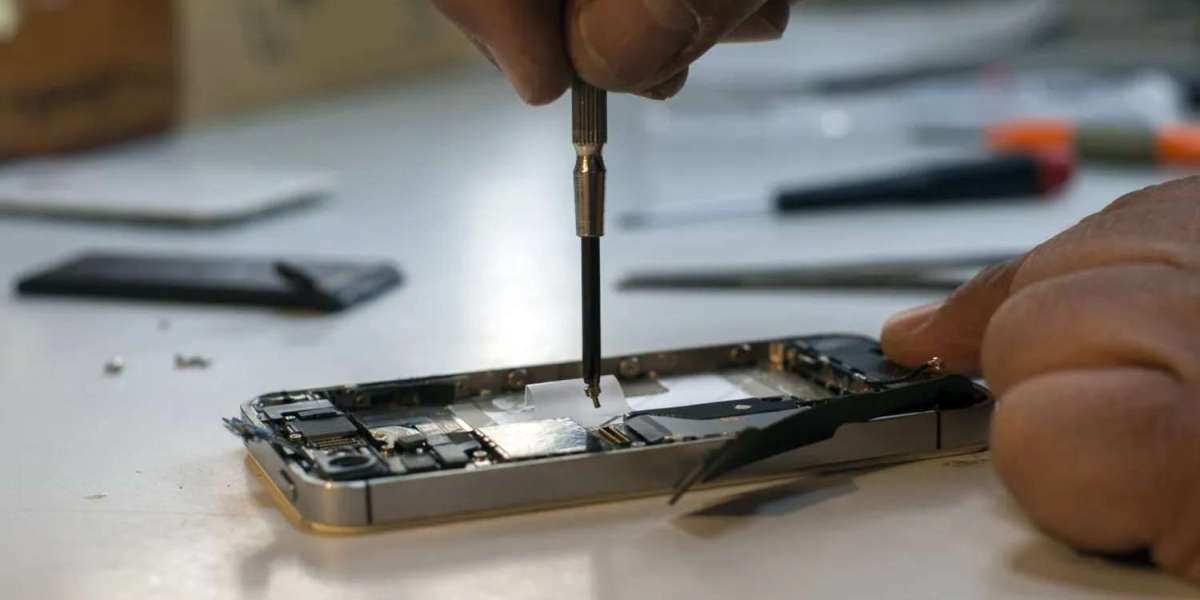
When capacity does drop, a professional battery replacement at a reliable iPhone service center restores performance and removes throttling.
Keep iOS Updated Responsibly
Software updates bring new features, security patches, and battery optimizations.
Install updates promptly, but do so over Wi-Fi with at least 50% battery or while charging.
Updates often improve efficiency on older devices, making them feel faster rather than slower.
If an update causes issues, a trusted service center can perform clean installs or diagnose conflicts.
Protect the Physical Body
A cracked screen or dented frame doesn’t just look bad—it can lead to internal damage over time.
Always use a sturdy case and tempered glass screen protector suited for your model.
Avoid keeping your iPhone in tight pockets with keys or coins that can scratch ports and buttons.
Be mindful of water exposure—even IP68-rated models lose resistance over time if seals wear.
Regular professional cleaning at an iPhone service center removes dust from speakers, ports, and cameras that accumulates quickly in Dubai’s environment.
Manage Storage and Performance
A nearly full iPhone works harder, drains battery faster, and can slow down noticeably.
Regularly offload unused apps, delete old photos/videos (after backing up), and clear cache.
Use iCloud or external backups to free up local storage without losing data.
Restart your iPhone weekly—it clears temporary files and refreshes system processes.
For persistent slowdowns, diagnostics at a reputable service center can identify deeper issues like failing storage.
Handle Charging Habits Wisely
Modern lithium-ion batteries don’t need full discharges, but smart charging extends life.
Try to keep charge between 20–80% when possible for daily use.
Avoid overnight charging every night if you don’t need Optimized Charging enabled.
Unplug once it reaches 100% to reduce stress.
If the charging port gets finicky, professional cleaning or repair prevents bigger problems.
Safeguard Against Software Threats
Malware is rare on iOS, but phishing and rogue apps can still cause issues.
Only download apps from the App Store and keep them updated.
Enable two-factor authentication and use strong passcodes or Face ID/Touch ID.
Avoid jailbreaking—it voids warranty and exposes your device to instability.
If you suspect software problems, a trusted iPhone service center Dubai can perform secure restores without data loss.
Use Protective Accessories Wisely
Quality accessories make a real difference in longevity.
Choose MagSafe-compatible cases and wallets to avoid wearing down the magnets.
Use screen protectors that don’t interfere with touch sensitivity or oleophobic coating.
Consider a camera lens protector for added safety without affecting photo quality.
Replace worn accessories before they cause damage—like frayed cables or loose-fitting cases.
Schedule Regular Professional Checkups
Just like a car service, periodic maintenance catches small issues early.
Many iPhone service centers offer free diagnostics and health checks.
They can clean internals, test battery and component health, and spot problems you might miss.
In Dubai’s dusty climate, professional cleaning every 12–18 months keeps speakers, mics, and cooling efficient.
Early intervention often costs far less than major repairs later.
Know When to Seek Expert Help
Some issues are best left to professionals to avoid worsening them.
Persistent overheating, random restarts, or unusual battery behavior need proper diagnostics.
Water exposure—even if the phone still works—requires immediate professional drying and cleaning.
Face ID, True Tone, or camera malfunctions often stem from subtle damage only experts can fix accurately.
Choosing an experienced iPhone service center Dubai ensures genuine parts and calibrated repairs.
Eco-Friendly Longevity Choices
Extending your iPhone’s life is also better for the environment.
Battery replacements and screen fixes keep perfectly good devices out of landfills.
Many service centers now recycle old parts responsibly.
Apple’s trade-in programs reward you for keeping older devices in use longer.
FAQs About Extending iPhone Lifespan
How many years should an iPhone realistically last?
With good care and occasional maintenance, 4–6 years of reliable daily use is common.
Does replacing the battery make my iPhone like new?
Yes— it restores full performance, removes throttling, and extends usable life by years.
Is it safe to use my iPhone in Dubai’s heat?
Avoid direct sunlight and hot cars. Use in shade and consider heat-dissipating cases.
Will software updates slow down older iPhones?
Modern updates usually optimize rather than slow devices. Performance management only kicks in with degraded batteries.
How often should I clean my iPhone professionally?
Every 12–18 months, or sooner if you notice muffled speakers or dusty ports.
Do third-party repairs shorten lifespan?
Not if done professionally with quality parts—many extend life effectively.
Can I upgrade storage or RAM to extend life?
No—iPhones have fixed hardware. Focus on maintenance and battery health instead.
Is it worth repairing an older iPhone?
Almost always—repairs cost far less than new devices and keep familiar tech running smoothly.
How do I find a reliable service center?
Look for high reviews, genuine parts usage, transparent pricing, and solid warranties.
Does Apple still support older models?
Software updates continue for 5–7 years; hardware service longer through authorized channels.
Taking care of your iPhone isn’t about babying it—it’s about smart habits and timely professional support that keep it performing at its best for years. From battery care and software hygiene to protective accessories and regular checkups, these steps add up to real longevity.
When you need expert diagnostics, genuine repairs, or professional maintenance from a trusted iPhone service center Dubai, visit iStore Dubai. Our certified technicians use premium parts, offer transparent pricing, and help you get the most life out of your device. Contact us today and keep your iPhone running stronger, longer.